Viva practice
Practise the viva like it is the real thing
An examiner who asks, listens to your answer and follows up on what you covered and what you missed.
Answer aloud, then tick what you covered
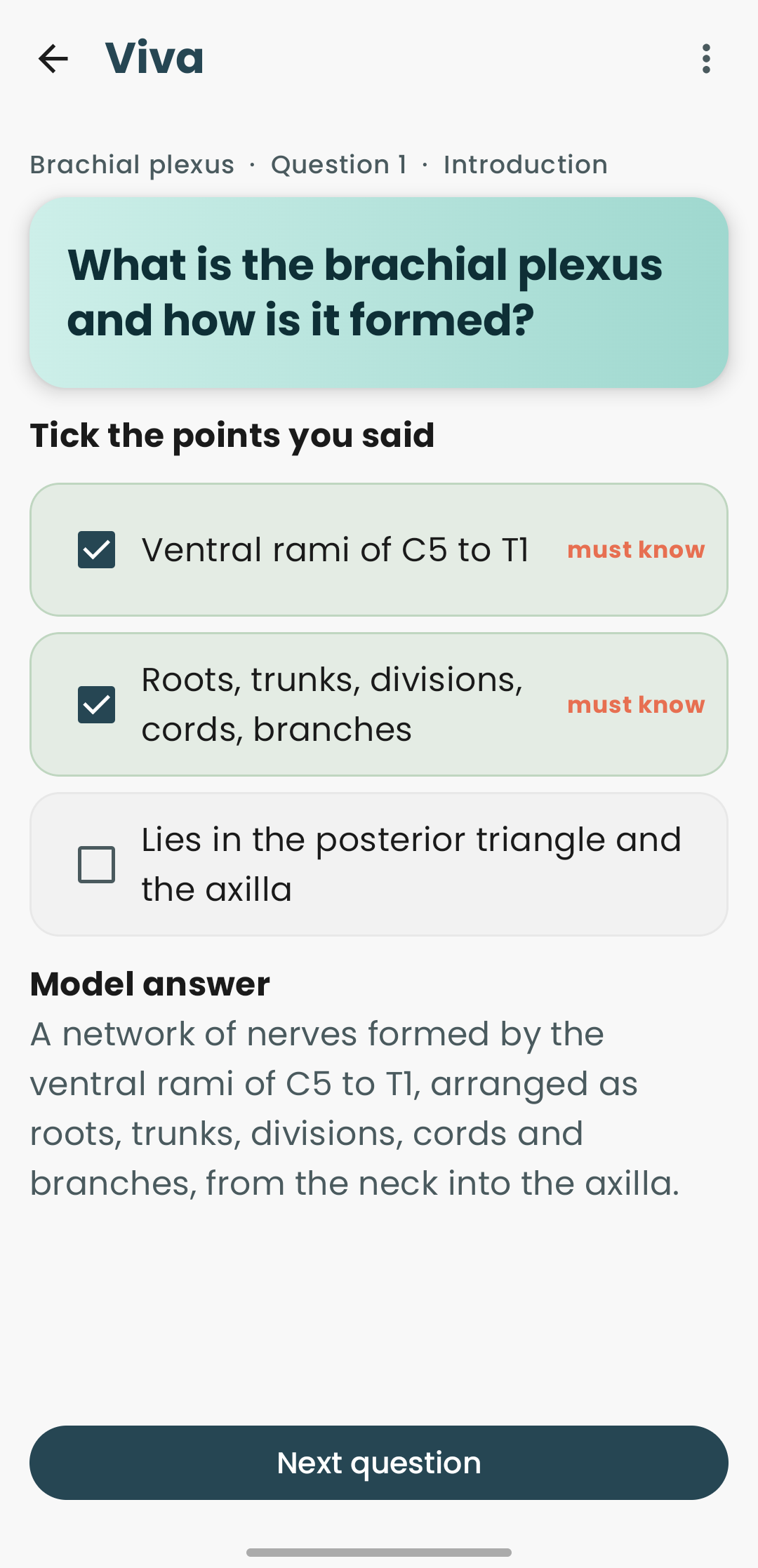
In a viva you do not type. You speak. MBBS Companion keeps it that way: the examiner shows a question, you answer out loud, then you tick the key points you actually mentioned. It is honest self-assessment, without a keyboard in the way.
Follow-ups that depend on you
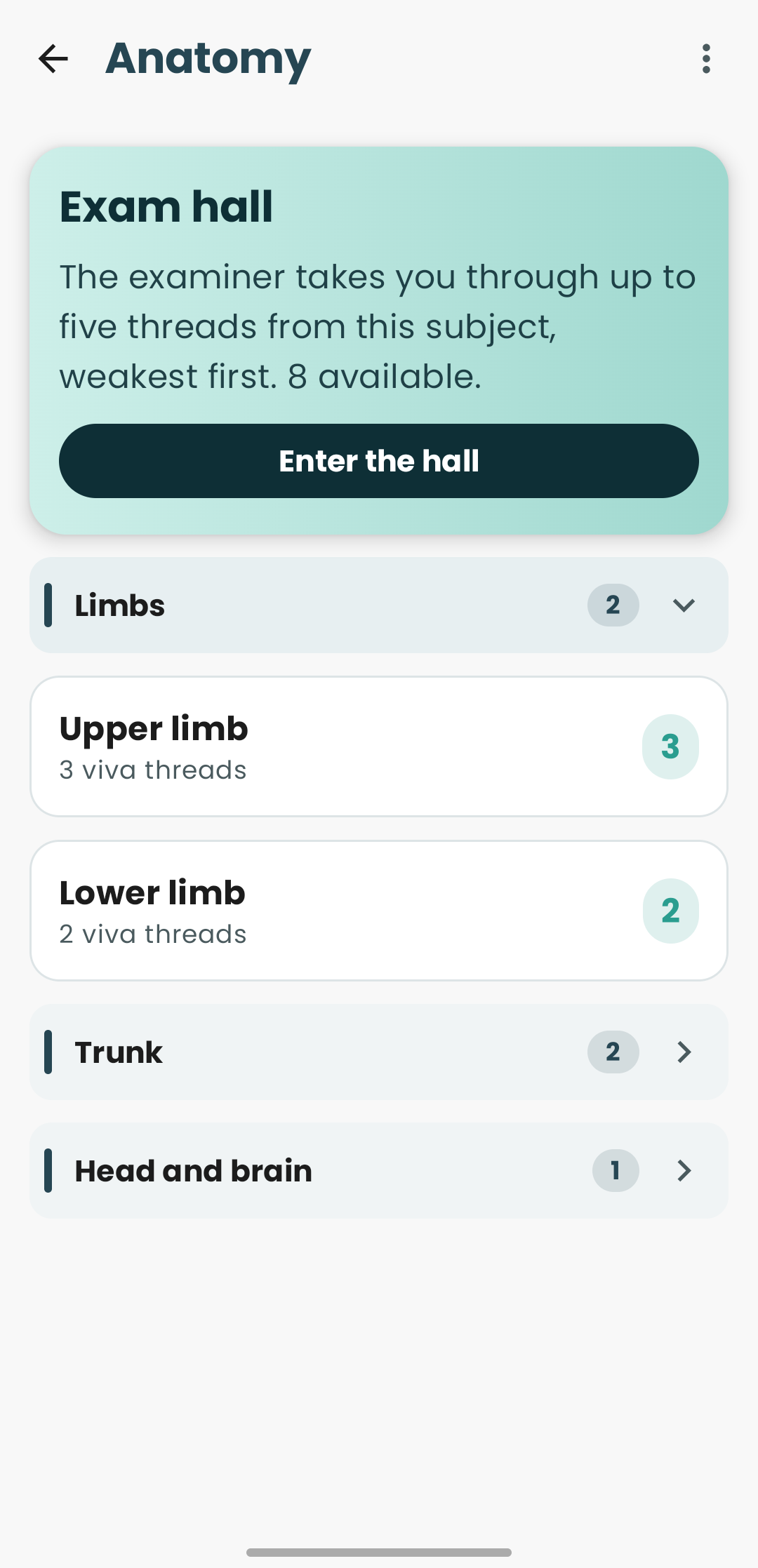
Each viva topic is a branching thread written for one chapter. Tick a point and the examiner moves deeper on it; miss a must-know point and you will see it flagged. That is how real vivas drift, and practising it is the point.
Beyond viva questions
The Study tab also holds instrument identification and histology and pathology slide spotters, the other half of practical exam preparation. Build your own collections to run a custom set in one go.
At a glance
- Branching examiner threads by chapter
- Must-know points marked
- Tick-what-you-said self assessment
- Instrument identification
- Slide spotters
- Your own collections
FAQ
Viva practice FAQ
What is a viva session in the app?
An examiner asks a question, you answer out loud, tick what you covered, and the examiner follows up on what you said or missed.
Do I type my answers?
No. You answer aloud as you would in the exam hall and tick the points you covered. This keeps practice close to a real viva.
Can I practise only one chapter?
Yes. Viva threads are written chapter by chapter, and collections let you build your own sets to run in one go.
Does viva practice cover instruments and slides?
The app also has instrument identification and slide spotters, found under Study alongside viva.